Course background

Course

Generative AI

GENERATIVE AI FOR VIDEO CREATION

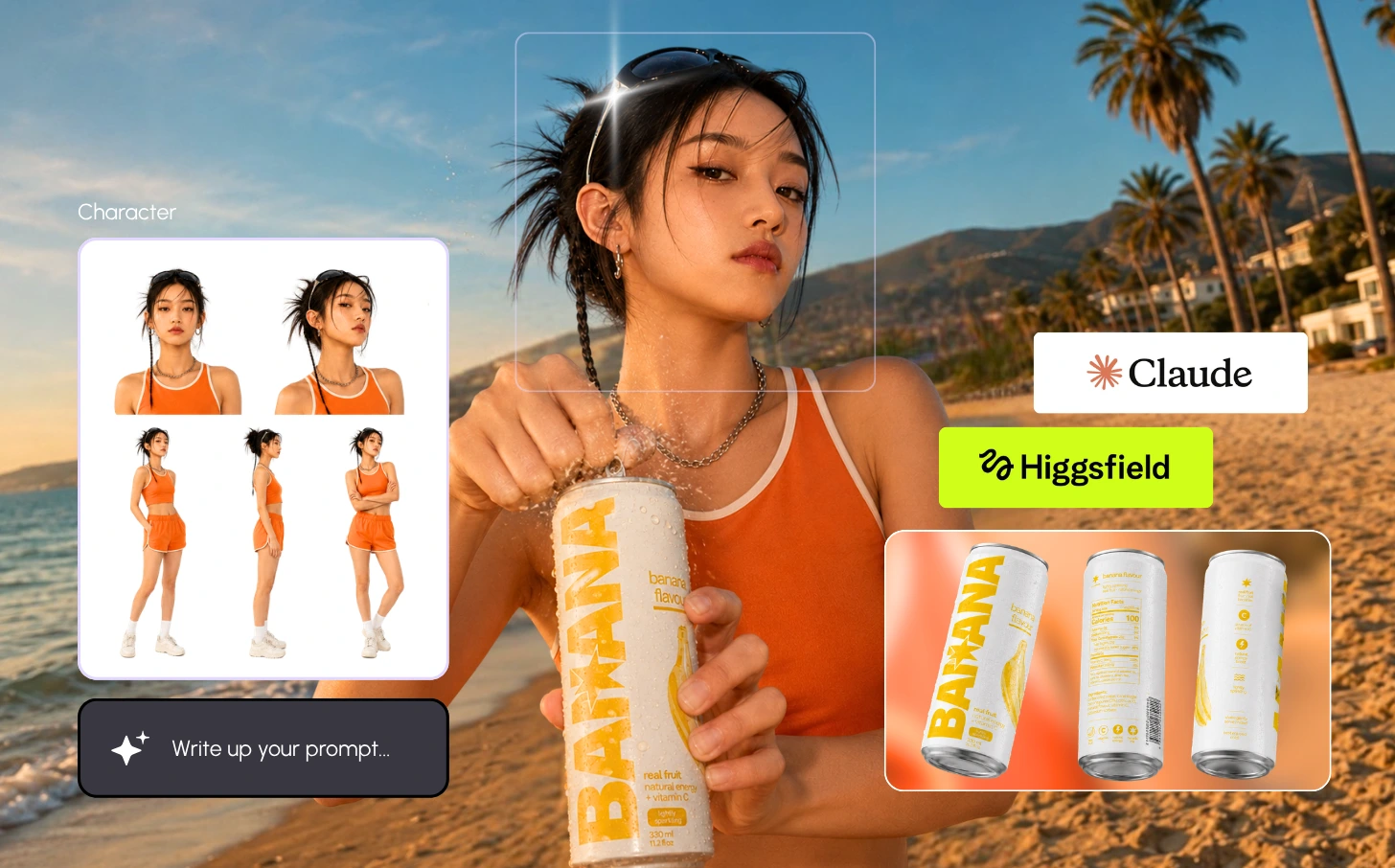
Plan, generate and edit short videos with Claude, Higgsfield and CapCut, from first idea to finished video.

About the

Course

Generative AI for Video Creation is a practical, three-day beginner course that teaches you to plan, generate and edit short videos using AI-assisted production tools.

You'll use Claude to develop concepts, scripts, storyboards and shot lists, generate visual assets and AI video clips with Higgsfield, then assemble and polish a finished video in CapCut. Along the way, you'll practise visual prompting, shot selection, continuity, editing, captioning and audio, with a strong focus on audience relevance, accurate representation, appropriate asset use and quality review.

The course is 75% hands-on. You'll work on one short-video project from start to finish, with trainer demonstrations, guided exercises and continuous feedback, and leave with a completed video, a reusable production plan and your own prompt collection.


By the end of the programme, you will be able to:

  • Explain the capabilities, limitations and responsible use of generative AI in video production
  • Analyse a video brief to define its audience, objective, key message and format
  • Develop a script, storyboard and shot list with Claude
  • Write visual and video prompts covering subjects, settings, composition and movement
  • Generate and refine visual assets and video clips with Higgsfield
  • Evaluate generated clips for usability, visual accuracy and continuity
  • Edit clips into a coherent video with suitable pacing and transitions in CapCut
  • Add captions, audio and brand elements to your video
  • Apply quality checks and export settings for your intended platform
  • Present a finished short video and explain your production decisions

Who is this Course for?

Decorative waveDecorative binoculars

Blue asterisk decoration
Green cross decoration

Yellow moons decoration

Caught in the

Hustle.

Get a glimpse of the Hustle experience through the lens of our students.

No items found.

Course

Curriculum

( 01 )

Day 1: AI Video Foundations & Creative Direction

Get to know the AI video workflow and shape a clear brief before you create anything.

  • How generative AI is used across video production
  • The roles of Claude, Higgsfield and CapCut in the workflow
  • What AI video tools can and can't do, and permissions for images, likenesses, voices and music
  • Defining your audience, key message and call to action
  • Choosing a video style, platform and project scope

( 02 )

Day 1: Scriptwriting, Storyboarding & Visual Prompting

Turn your idea into a script and shot plan, then learn to prompt for the visuals you want.

  • Writing hooks and scripts with Claude
  • Converting scripts into storyboard scenes and shot lists
  • Planning duration, assets and narration
  • Prompting for subjects, settings, lighting, style and camera movement
  • Using reference images and refining prompts from results

( 03 )

Day 2: Creating Visual Assets & AI Video Clips with Higgsfield

Generate the visuals and clips for your video, from reference images to animated shots.

  • Preparing reference images, backgrounds and supporting visuals
  • Working with product photos and brand assets
  • Text-to-video and image-to-video workflows in Higgsfield
  • Applying motion and camera instructions to each shot
  • Producing alternative takes and managing generation credits

( 04 )

Day 2: Visual Continuity & Rough Cut in CapCut

Pick your best clips and build a first version of your video.

  • Checking consistency of subjects, products and settings
  • Spotting distorted details and fixing or regenerating weak shots
  • Selecting clips against your storyboard
  • Setting up your CapCut project, format and aspect ratio
  • Arranging and trimming clips into a rough cut

( 05 )

Day 3: Editing, Captions, Audio & Brand Elements

Polish your rough cut into a video that flows, sounds right and carries your brand.

  • Refining sequence, pacing and transitions
  • Keeping visual consistency between shots
  • Adding and proofreading captions
  • Arranging narration, music and sound effects, and balancing audio
  • Adding titles, logos and calls to action

( 06 )

Day 3: Quality Review, Export & Final Video Project

Check, export and present your finished video, with a production plan you can reuse at work.

  • Reviewing visual accuracy, message clarity, audio and captions
  • Checking asset permissions and required disclosures
  • Choosing resolution, aspect ratio and file format for your platform
  • Presenting your script, storyboard and finished video for feedback
  • Preparing a reusable workplace production plan

( 07 )

( 08 )

( 09 )

( 10 )

ai-video-creation

Course

Intake

December

January

All

Weekdays

Weekends

Meet Our

Trainers

Step into our classes led by skilled creators and industry pioneers, passionate about the craft.

Train Your Team
&
Claim With

HRD Corp

This is an HRD Corp Claimable Course. Registered employers can pay for it from their levy balance.

✱

Booking for your team?

Tell us how many people and when. We'll send the quotation, trainer profile and course schedule your HR team needs to apply for the HRD Corp grant.

Thank you! Your submission has been received!
Oops! Something went wrong while submitting the form.

Who can claim:

Employers registered with HRD Corp whose levy payments are up to date, under the HRD Corp Claimable Courses (SBL-Khas) scheme.

Before the course:

Apply for the grant in e-TRiS before training starts. Approval has to be in place before the first day, so leave yourself a few days.

After the course:

We submit the course-fee claim to HRD Corp, and the approved fee is paid from your levy balance. Claims are filed within six months of the training.

Earn Your

Certificate

🎓

Hustle Certificate of Completion

Join thousands of Hustle graduates with a professionally issued certificate that showcases your commitment to continuous improvement and professional growth.

🚀

Digital Certificate Authentication

Every Hustle certificate is uniquely authenticated and verifiable online, making it easy to share on LinkedIn, your resume, and professional profiles.

Sample Hustle Certificate of Completion
No items found.

FAQ

No items found.

Book a Call

With Our Team.

Thank you! Your submission has been received!
Oops! Something went wrong while submitting the form.

Generative AI for Video Creation

RM 3,800

How to claim

HRD Corp claimable for registered employers

Training Provider:

H Ventures Sdn Bhd (202501027657)

Course Duration:

21 Hours

HRDC Course ID:

10001594601

Apply now
Avatar group of past learners

825 Learners

have already joined us

In partnership with